
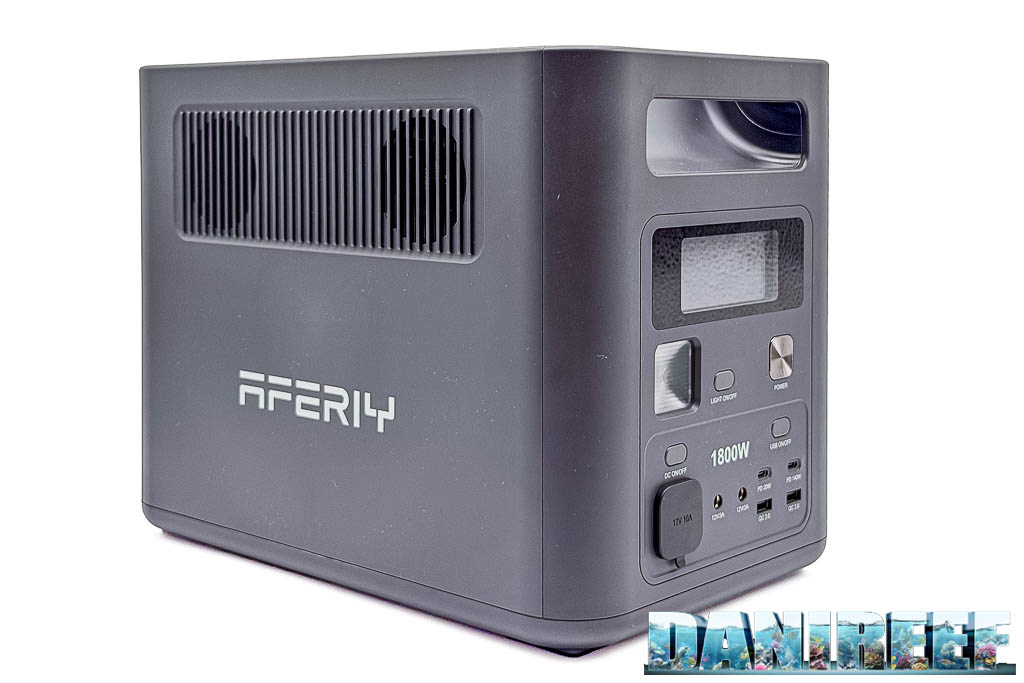
Can a backup power supply really keep an aquarium running for more than 31 hours during a blackout? That is what we set out to discover by testing the AFERIY Nomad1800 P180, a 1,024 Wh power station that, in our real-world test, powered a return pump and a circulation pump for a full 31 hours and 32 minutes.

The result is interesting in itself, but it becomes even more significant when you consider the price: at the time of our test, combining the AFERIY promotion with the additional discount code reserved for DaniReef readers, it could be purchased for 421 euros, compared with a list price of 699 euros.
Of course, as always, we did not stop at the manufacturer’s stated specifications. We connected the AFERIY P180 to our marine aquarium of about 200 litres, simulated two prolonged blackouts and checked what happens when the battery runs completely flat.
The second test, with return pump, circulation pump, protein skimmer and lighting, gave us another 10 hours and 3 minutes of runtime. During the tests, however, we also discovered two important limitations that you should know about before trusting this power station with the safety of your aquarium.
AFERIY supplied the P180 so that we could carry out this test. The measurements, observations and assessments that follow come from our own tests on the aquarium.
What you will find in this article
- Our video on the AFERIY P180
- What is the AFERIY P180
- Technical specifications and LiFePO4 battery
- Why a UPS matters for an aquarium
- What to power during a blackout
- AFERIY P180 vs traditional UPS units
- The AFERIY P180 app
- How to set it up for the aquarium
- First test: 31 hours and 32 minutes
- Second test: 10 hours and 3 minutes
- The middle-ground setup
- Calculate your aquarium’s runtime
- Price and discount code DAN1800
- First flaw: loads that are too low
- Second flaw: AC output does not restart
- Theoretical vs real runtime
- Our verdict
- All results at a glance
- Further reading
- Frequently asked questions (FAQ)
Our video on the AFERIY P180
In the video that accompanies this article we show you the AFERIY P180, its features, how the app works and, above all, the results of the tests carried out on our aquarium.
We did not use artificial loads or simple simulations: we literally cut the power to our aquarium and let the power station run it until the battery was exhausted.
What is the AFERIY P180
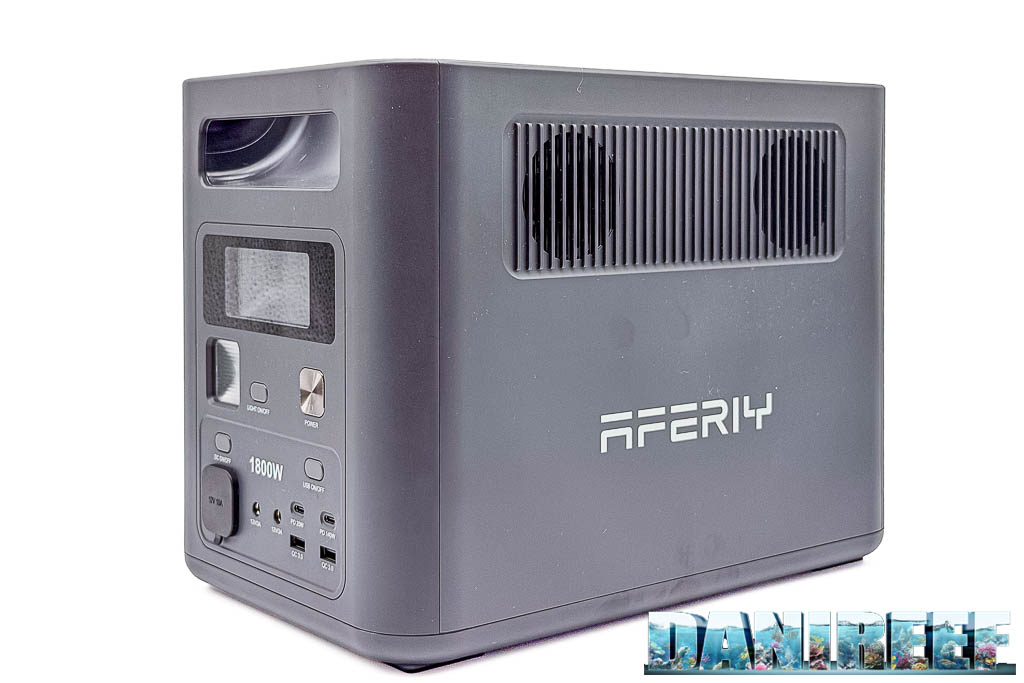
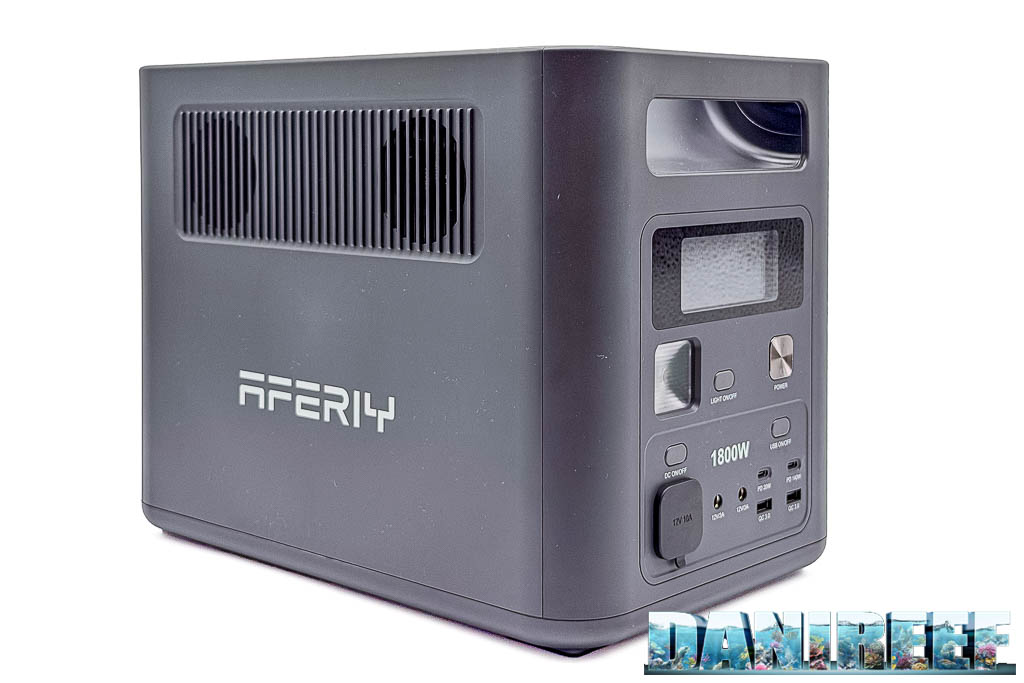
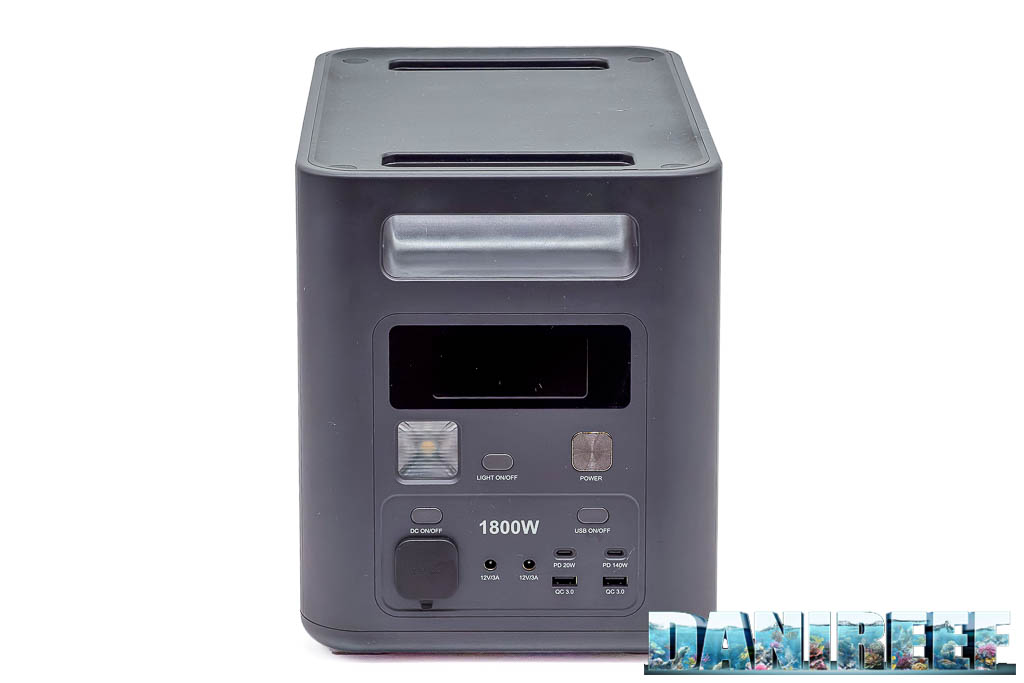
The AFERIY Nomad1800 P180 is a portable power station with a 1,024 Wh LiFePO4 battery and a 1,800-watt pure sine wave inverter.
It was not designed specifically for aquarium keeping. It is a portable energy storage system built to power electrical equipment in many different situations, from camping to home emergencies. But its capacity and its ability to step in automatically when mains power fails are exactly what convinced us to test it as an aquarium UPS.
For a marine aquarium, the maximum output of 1,800 watts is generally far higher than what is needed during a blackout. The number that really matters to us is another one: 1,024 Wh of stored energy, to be used to keep the essential equipment running for as long as possible.
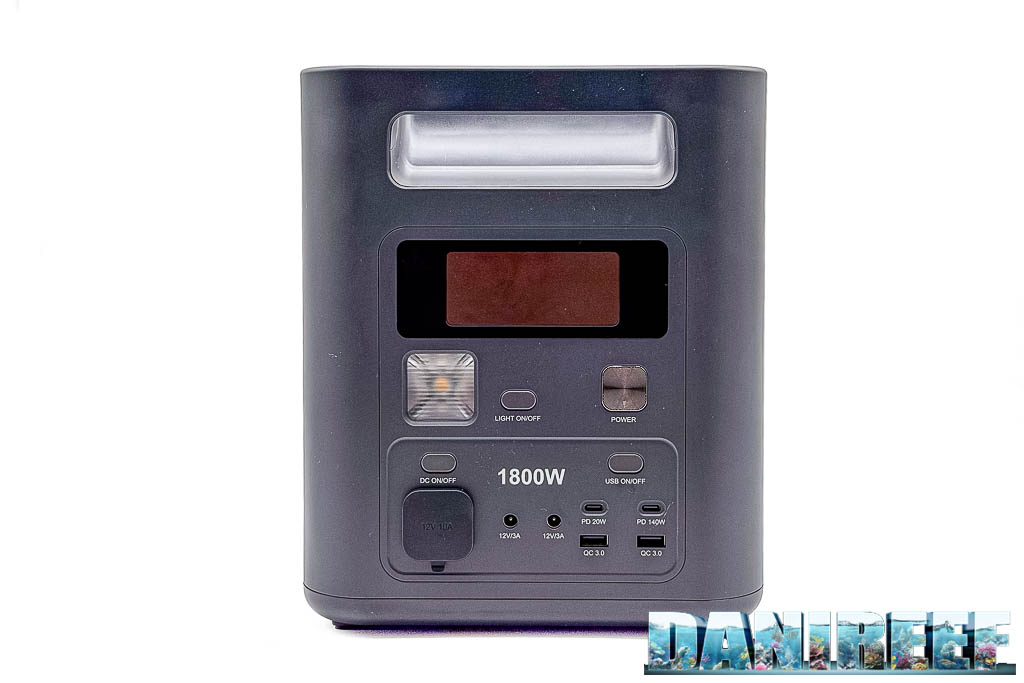
The P180 weighs about 11.6 kg and measures 35 × 22 × 26.3 cm. It is not a tiny power station, but it is still compact enough to be placed near the system, obviously taking the necessary precautions around water.
Technical specifications and LiFePO4 battery
The AFERIY P180 uses lithium iron phosphate batteries, commonly referred to as LiFePO4. This technology is interesting for its good thermal stability and its potential lifespan in terms of charge and discharge cycles.
AFERIY claims more than 4,000 full cycles before the remaining battery capacity drops to 80% of its original value. Obviously we cannot verify today a figure that requires years of use, but for an application like ours, where deep discharges should be relatively rare, it is a promising feature.
Inside there is also a BMS (battery management system), which monitors the operating parameters and intervenes in abnormal conditions. The side fans take care of heat dissipation when needed.
AFERIY P180 key specifications
Technical data declared by the manufacturer.
| Rated capacity | 1,024 Wh |
| AC output | 1,800 W |
| Waveform | Pure sine wave |
| Battery chemistry | LiFePO4 |
| Declared cycles | Over 4,000 cycles to 80% capacity |
| UPS switchover time | Less than 10 ms |
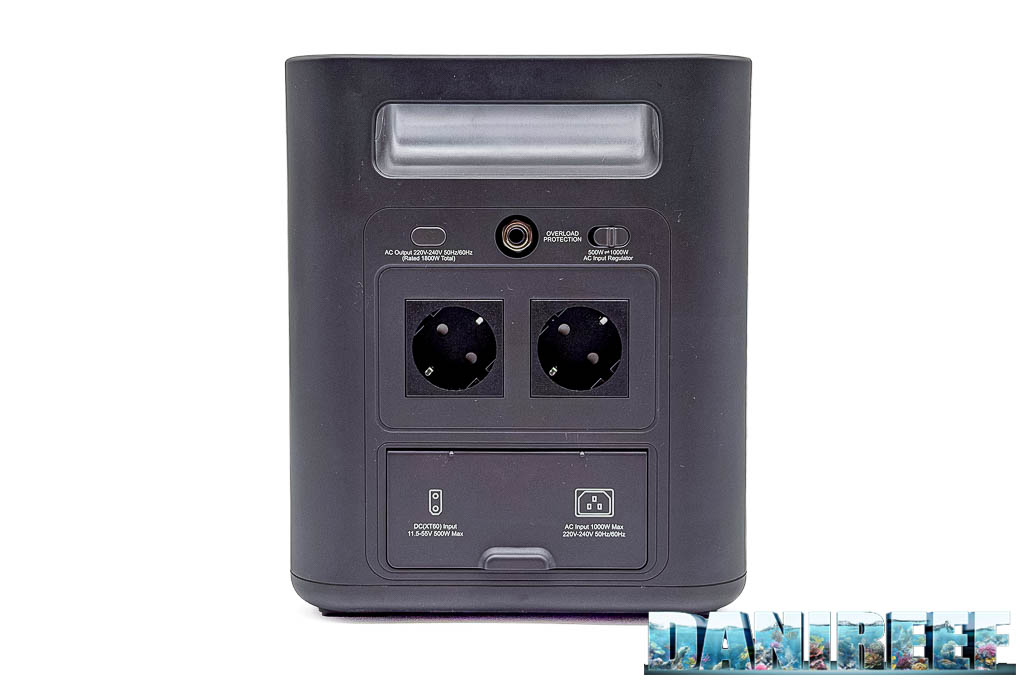
| Max AC input | 1,000 W |
| Max solar input | 500 W |
| Combined input | Up to 1,500 W |
| Weight | 11.6 kg |
| Dimensions | 35 × 22 × 26.3 cm |
| Declared warranty | 2 years, extendable up to 7 years with registration, according to the manufacturer’s terms |
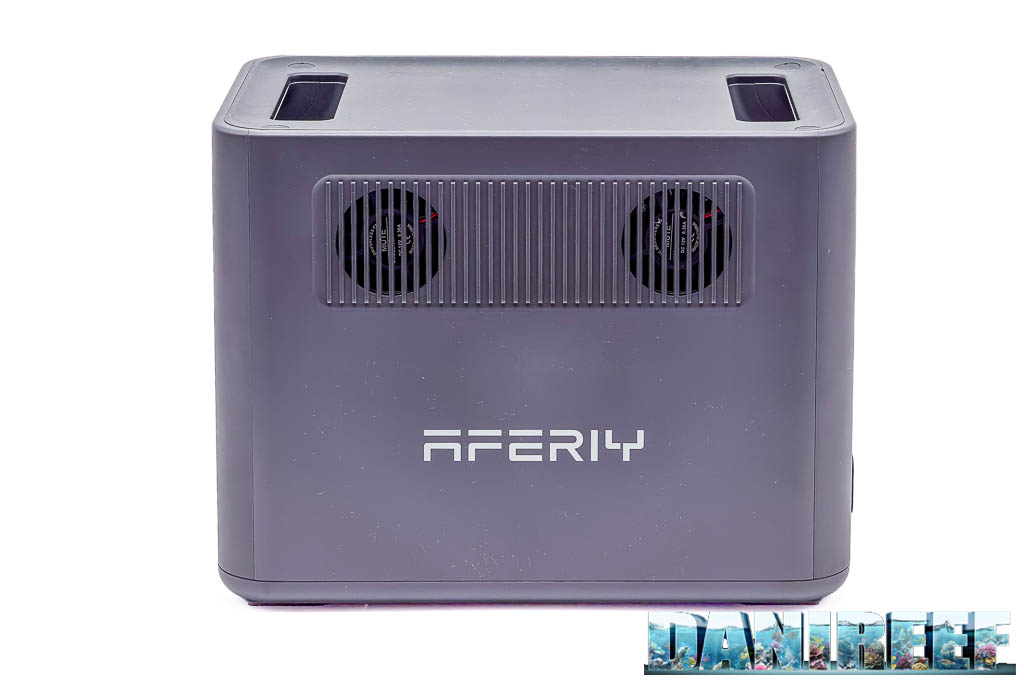
⚠️ Be careful where you place it near the aquarium
AFERIY recommends using the P180 in a ventilated environment. Near an aquarium you need to add one more precaution: keep it away from water, possible leaks, condensation and splashes, without blocking the ventilation grilles. Avoid enclosing it in a cabinet without adequate ventilation and always follow the manufacturer’s safety instructions.
Why a UPS is essential for an aquarium
A modern aquarium depends almost entirely on electricity. Pumps, filters, heaters, skimmers, lights and controllers can only work when they are powered. When the power goes out, the aquarium begins, more or less slowly, to die.
During a blackout, however, not all equipment is equally important. In the first hours the main problem is generally not the lack of light: the priority is to maintain gas exchange, oxygenation and water movement.
Fish, corals, bacteria and other organisms keep consuming oxygen even when the pumps stop. In a heavily stocked aquarium, a prolonged reduction in circulation can become dangerous.
So our goal during an emergency should not be to keep the aquarium running exactly as if there were no blackout, but to keep the essential functions going long enough to allow us to intervene, or to get through the critical moment unscathed.
What to power during a blackout: our priorities
If I had to choose just one piece of equipment to keep running in my marine aquarium with a sump, I would normally choose the return pump.
The return pump keeps water circulating between the display tank and the sump, promotes surface movement and also uses the falling water to increase gas exchange. It also prevents the two parts of the system from remaining isolated during the outage. In a freshwater aquarium, on the other hand, my priority would be the filter pump.
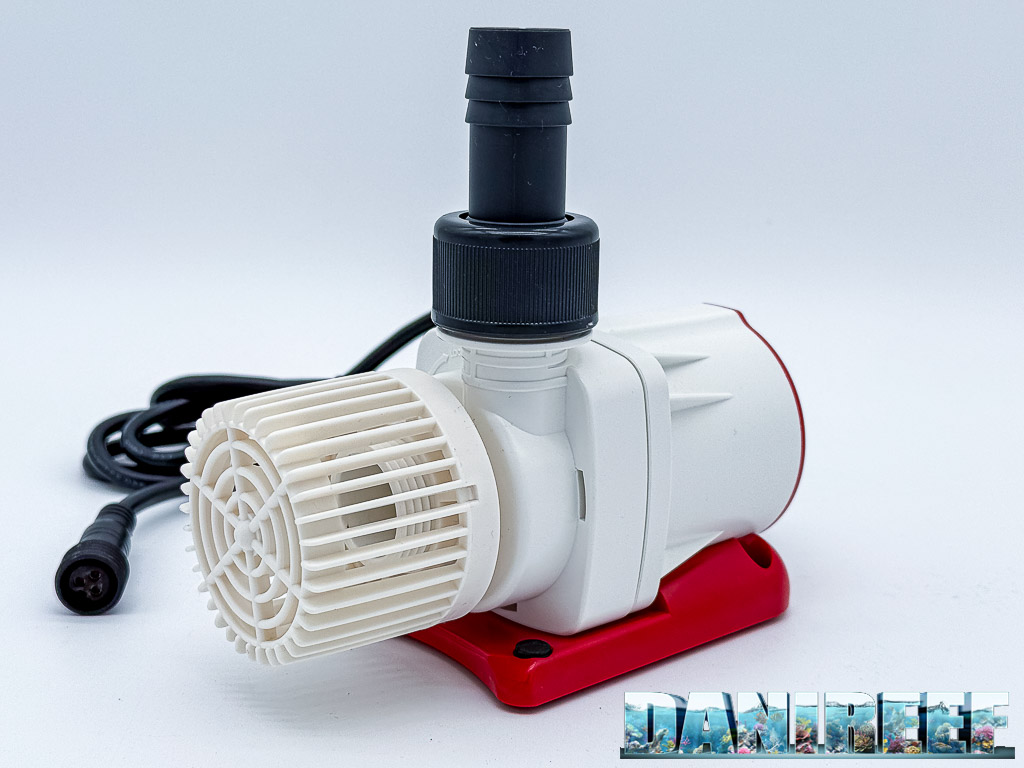
In our case the Octo VarioS 2 draws just 12-13 watts. It was therefore natural to think of connecting only this pump to the power station to get the longest possible runtime.
During the first trial, however, we discovered that such a low load could cause the P180’s AC output to switch off after a few hours. So we added a circulation pump, reaching about 22-23 watts in total. This setup worked flawlessly until the battery was exhausted.
The circulation pump obviously helps keep the water moving inside the display tank. In an aquarium without a sump, the priority may instead be the filter or a circulation pump, with the flow directed so as to promote gas exchange at the surface.
The protein skimmer can contribute further to oxygenation, but in a system with a sump it only makes sense to keep it running if the return pump is also running. Otherwise it would mainly keep working on the water in the sump, without ensuring adequate exchange with the water in the main tank.
The lighting, on the other hand, is not normally a priority during a short emergency. Heaters and chillers can become important in extreme weather conditions, but their consumption can significantly reduce the available runtime.
📡 Don’t forget the router
There is one device that does not directly keep the aquarium alive, but can become essential during a blackout: your home router.
If the router stays powered and the internet connection keeps working, we can receive notifications from monitoring systems, check any cameras and remotely verify the status of the AFERIY P180 through the app.
Its consumption must of course be added to that of the aquarium and reduces the overall runtime. In addition, to keep remote control even after the P180 is completely drained, it is better for the router to have an independent backup or a power supply that restarts automatically when mains power returns.
This is an important point: having backup energy is not enough. You also need to know that a blackout is in progress and be able to act before the battery runs out.
AFERIY P180 vs traditional UPS units: what changes?
A traditional UPS is designed mainly to provide instant power to computers, modems, NAS units and other electronic devices. Many consumer models use relatively small lead-acid batteries and are designed to ride through short interruptions or allow the connected devices to shut down properly.
The AFERIY P180 tackles the problem with a LiFePO4 battery of more than one kilowatt-hour. Given the relatively low consumption of aquarium pumps, a capacity like this can translate into many hours of operation.
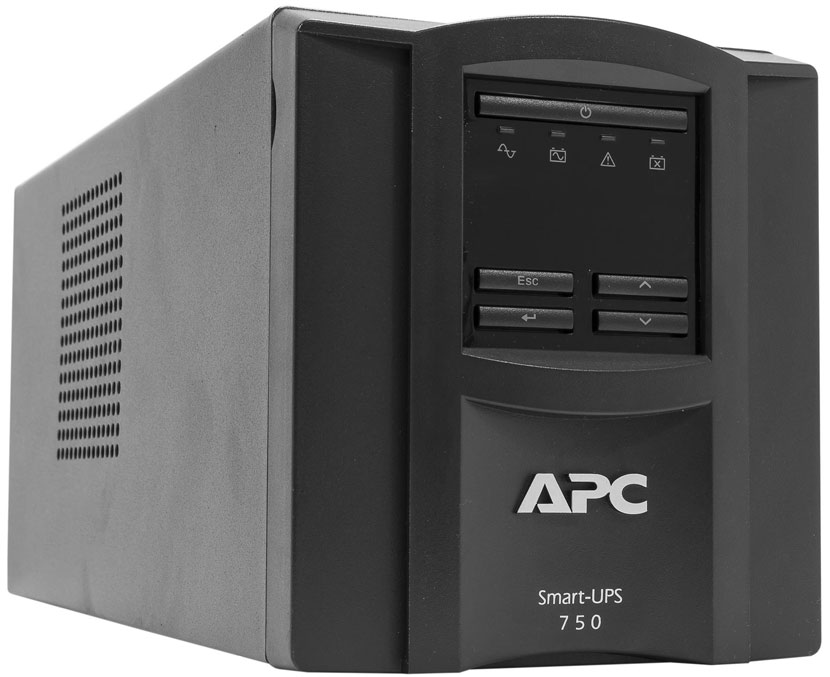
I remember well the first UPS units I used on my aquariums, with classic lead-acid batteries. The problem was not only their relatively limited runtime, but also how hard it was to know how much energy was really left, especially after years of use.
With a modern power station like this one, we can instead check the battery percentage, the instantaneous consumption and an estimate of the remaining runtime directly on the display and in the app. As we observed, the latter is not always very accurate with very low loads, but it is still useful information.
The AFERIY P180 app: remote control of everything
The AFERIY P180 has a dedicated app that lets you check the battery status, input and output power and the operation of the various outputs.
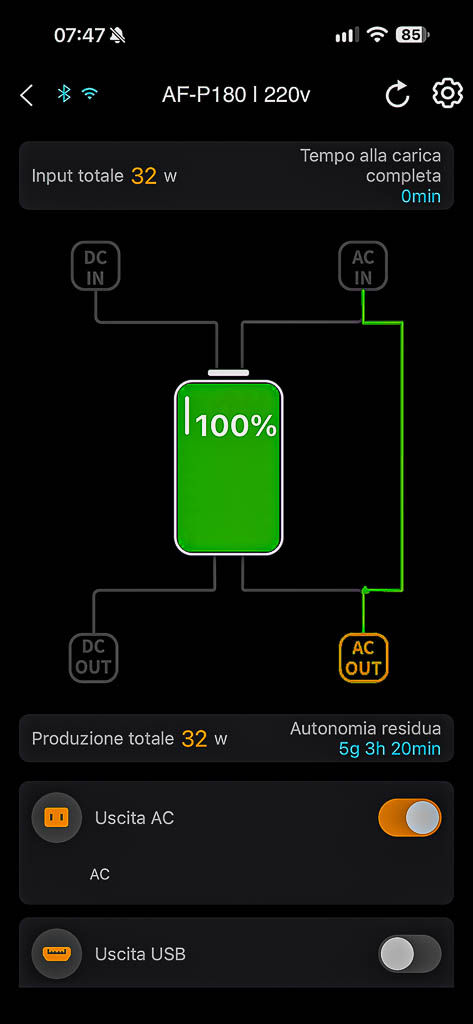
For us aquarists this is particularly interesting. If we are away from home and receive a blackout alert, we can check whether the P180 is powering the connected devices and estimate how much time we have to act.
We can then decide to come home early or ask someone to check the aquarium. And, if necessary, we can switch off the less important equipment to extend the remaining runtime.
During the tests we also verified another important function: the AC output can be re-enabled through the app. We will see later why this is useful, but it does not completely eliminate one of the limitations we found after the battery was fully discharged.
How to use the AFERIY P180 as an aquarium UPS
The principle is simple: the AFERIY P180 stays connected to the mains, and the aquarium equipment we want to protect is powered through its AC outlets. When the power fails, the power station automatically switches to battery power. AFERIY declares a switchover time of less than 10 milliseconds.
Before actually trusting it with our aquarium, however, we recommend a few checks:
- Choose the equipment that is truly essential during a blackout.
- Measure or check its total consumption.
- Check any settings related to energy saving and very low loads.
- Simulate a blackout by unplugging the P180 from the mains.
- Make sure that pumps, controllers and other devices keep working properly.
- Let the test run for several hours, rather than just checking for a few minutes.
- Check what happens when the battery runs completely flat and the power then comes back.
This last point is crucial. A backup system must also be evaluated under extreme conditions, because it is precisely when we are away from home that unexpected behaviour can turn into a serious problem.
First test: 31 hours and 32 minutes with return and circulation pumps
The first full test is the one we consider most relevant for aquarium safety. We used our marine aquarium of about 200 litres, connecting the Octo VarioS 2 return pump and an Octo Pulse wave pump to the AFERIY P180.
Total consumption hovered around 22-23 watts. A very small load, then, but enough to keep two essential functions running: circulation between the tank and the sump, and water movement in the display.
We cut the power at 8:57 am. The AFERIY P180 kept both pumps running until 4:29 pm the following day.
REAL TEST 1
31 hours and 32 minutes
Return pump + circulation pump
About 22-23 watts
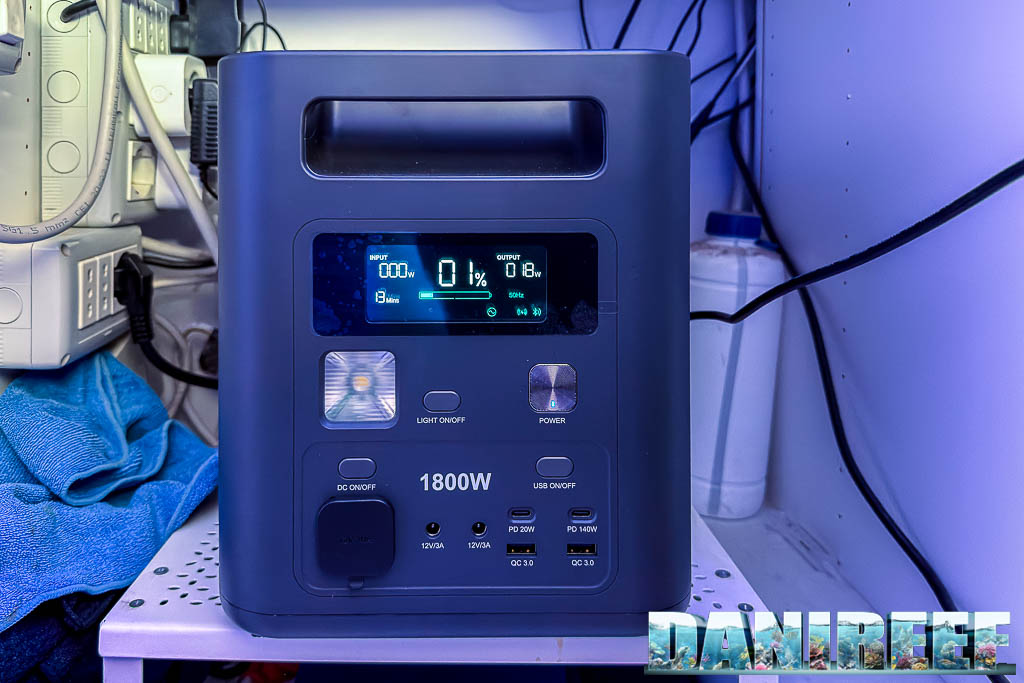
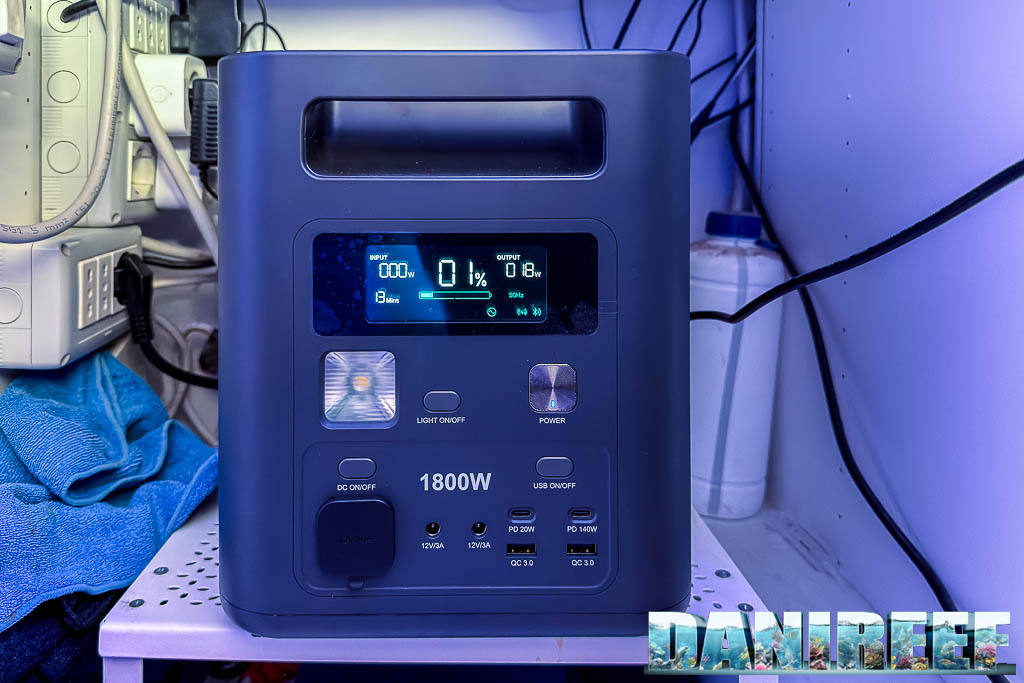
Thirty-one hours and thirty-two minutes. A result that truly impressed us.
We are not talking about riding through a short power cut or making it to the next morning: in this configuration the P180 kept the aquarium’s essential functions running for more than a full day.
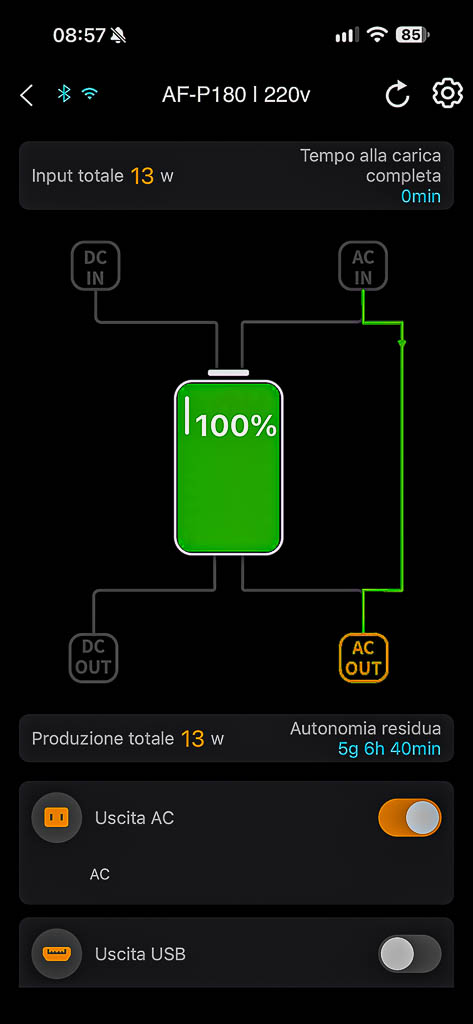
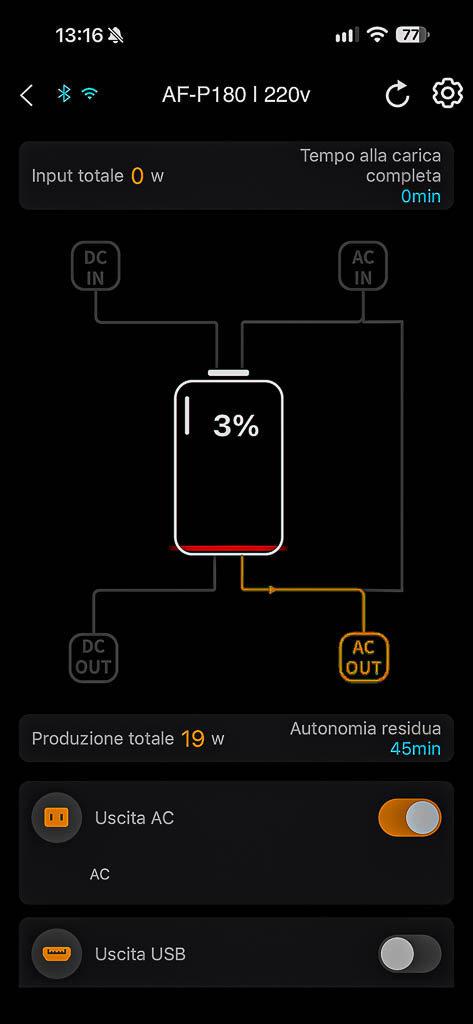
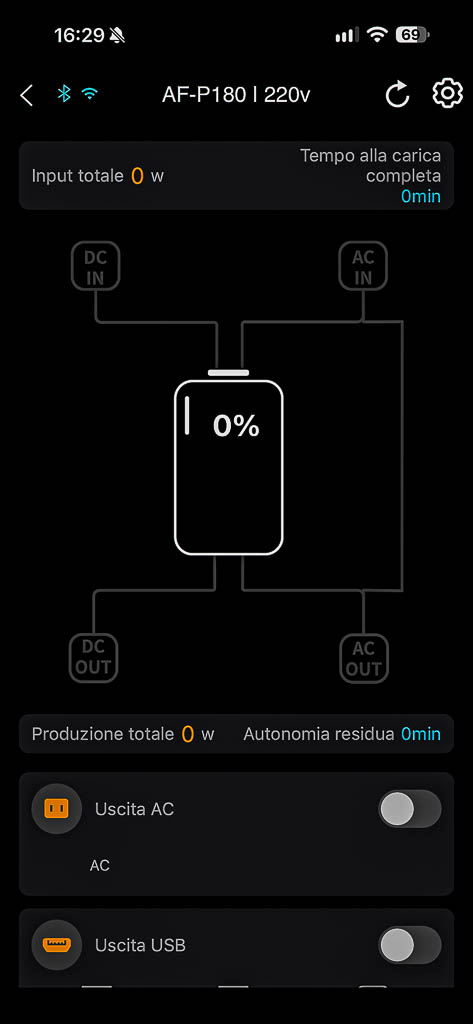
Of course, the result depends on the consumption of our system. An aquarium with more powerful pumps will get less runtime, while a particularly efficient setup could achieve different results.
This does not mean that the P180 is only suitable for 200-litre tanks. Even on 400-500 litre aquariums it could be an interesting solution, as long as the consumption of the equipment you want to keep running is compatible with the runtime you need. What matters is not the volume so much as the real consumption of the devices.
Second test: 10 hours and 3 minutes with almost the whole aquarium powered
After getting more than 31 hours of runtime, we asked ourselves a question: what if, instead of powering only the essential equipment, we tried to keep almost the whole aquarium running?
In the second test we therefore connected the return pump, circulation pump, protein skimmer and lighting to the AFERIY P180.
We deliberately chose to start the test early in the morning. Had we simulated the blackout at night, when the light is normally off, we would probably have obtained a longer runtime.
Instead, we were interested in a more demanding and realistic situation: leaving home for work, losing power immediately and checking how long the P180 could also sustain the lighting during the day.
So we cut the power at 7:47 am. The AFERIY kept the system running until 5:50 pm the same day.
REAL TEST 2
10 hours and 3 minutes
Return + circulation + skimmer + lighting
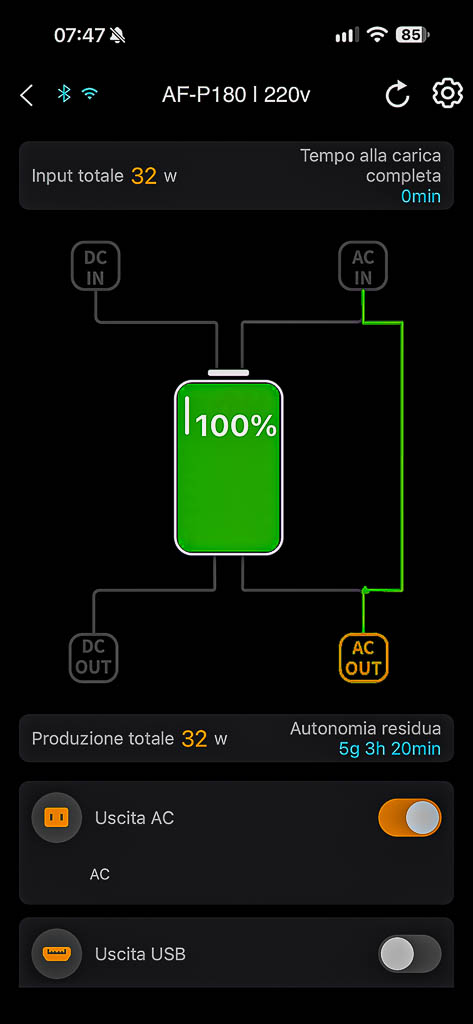
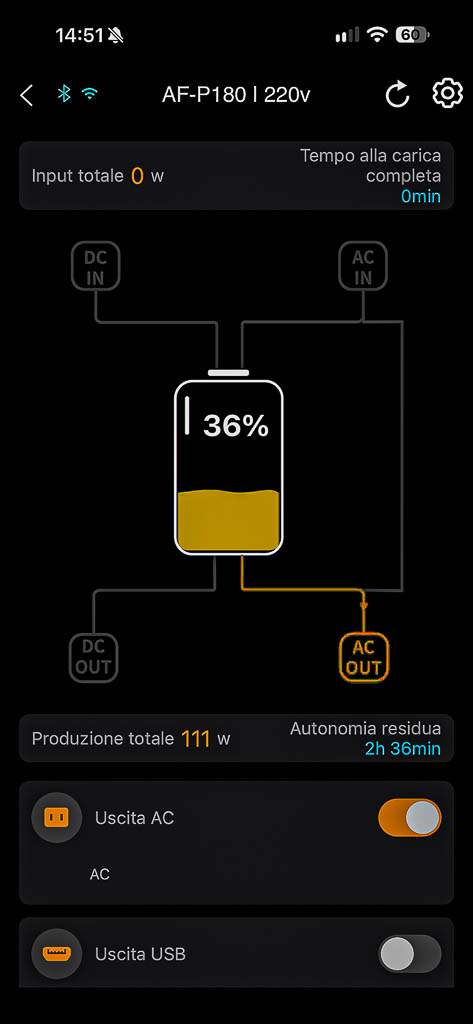
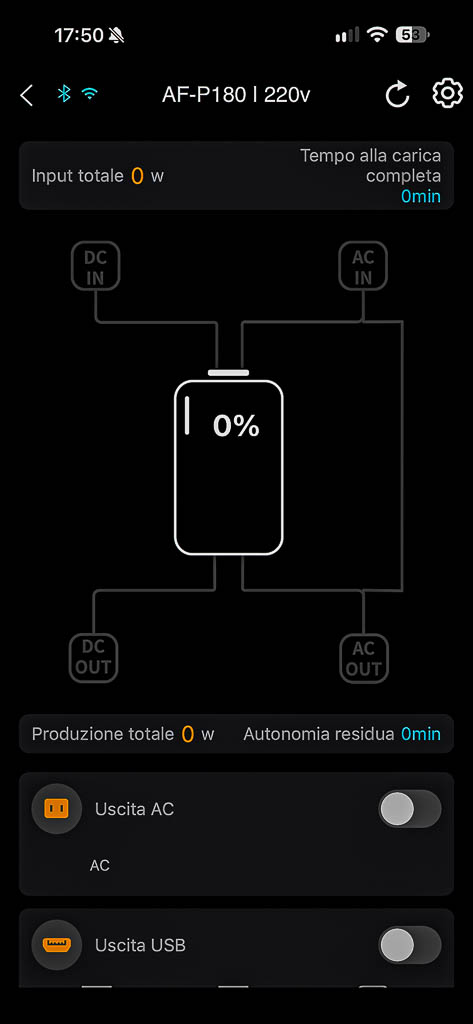
Ten hours and three minutes is a very interesting result, especially considering that we also kept running equipment that is not essential during an emergency, such as the light.
In a real situation, this means being able to leave home in the morning with a margin of runtime that, in our case, roughly covers a full working day. Of course, this is not a guarantee for every aquarium: actual consumption can vary greatly.
If we received a blackout notification while away from home, we could also change the configuration of the connected devices, for example by switching off the light, to reduce consumption and extend the remaining runtime.
The middle ground: what if we only switched off the light?
Between the two configurations we actually tested there is a third one that I personally find very interesting: return pump, circulation pump and skimmer, leaving only the lighting off.
This way the aquarium would keep working practically as usual, with circulation, water movement and skimming all running normally. It would be a bit like a big cloud passing over our tank, taking away the light but leaving the rest of the system running.
We did not directly measure the runtime of this configuration, but removing the light’s consumption would reduce the load compared with the second test. It could therefore be an excellent compromise between runtime and functionality, to be evaluated based on the actual consumption of your own aquarium.
If, on the other hand, the goal is the longest possible runtime, our preference remains the configuration with the return pump alone, plus the circulation pump if consumption is too low, adding the router when needed and taking its consumption into account.
Calculate your aquarium’s runtime
Our results obviously apply to the consumption of our own system. To estimate the runtime you could get with your aquarium, you can use the calculator we have prepared, entering the capacity of the power station and the consumption of the equipment you want to keep powered.
Remember, however, that the result is only an estimate: inverter efficiency, internal consumption and the characteristics of the equipment can change the real runtime significantly.
Estimated theoretical runtime
How much does the AFERIY P180 cost? The price changes everything
At this point, after measuring 31 hours and 32 minutes of runtime with the return and circulation pumps and 10 hours and 3 minutes with almost the whole aquarium running, the obvious question is how much a power station like this costs.
The list price of the AFERIY P180 is 699 euros, but the manufacturer regularly runs offers that can make it much more affordable.
At the time of our test, combining the promotion already available on the AFERIY website with our additional discount code DAN1800, the final price comes down to 421 euros, with free shipping from Germany.
Of course, promotions can change over time, so we recommend checking the current price before buying.
AFERIY P180 – Offer and DaniReef code
On top of the promotions available on the AFERIY website you can add our discount code:
DAN1800
At the time of our test, the final price with both promotions was 421 euros.
Discover the AFERIY P180Indicative price at the time of the review. Promotions may vary.
It is precisely this balance between price, capacity and actually measured runtime that makes the AFERIY P180 particularly interesting for us aquarists.
Of course, price is not the only thing to consider. Before choosing a power station as a safety system, you also need to know its limitations. And during our tests we found two.
Editorial note: AFERIY supplied the P180 for this test. The results and assessments are based on our own tests. Purchases made through the link provided may earn us a commission, at no extra cost to you.
First flaw: watch out for very low loads
Before reaching the 31 hours and 32 minutes of the first test, we had tried what seemed the most logical setup: the return pump alone.
In our case, however, the Octo VarioS 2 draws just 12-13 watts. With this load we found that, after a few hours, the AFERIY P180 switched off its AC output, cutting power to the pump.
This behaviour is consistent with an energy-saving function that switches off the output when it detects very low consumption. In a normal power station this function can be useful to avoid needless drain, but in an aquarium it can become a problem.
⚠️ A very low-consumption pump may not be enough
If you plan to use the AFERIY P180 to power a single very efficient pump, actually test your setup for several hours. In our case 12-13 watts were not enough to keep the AC output permanently on. After adding the circulation pump and bringing the load to about 22-23 watts, the problem did not occur again.
This is one of the reasons why we always stress the importance of real-world tests. It is not enough to pull the plug, check that the pump keeps running and call the test done.
A system meant to protect the aquarium during a blackout must be able to work properly for many consecutive hours, with the actual consumption of the equipment we intend to connect.
Second flaw: what happens when the battery hits 0%?
The second limitation we found is even more important to know about, because it concerns what happens after the battery is completely drained.
When the P180 reaches 0% it shuts down, cutting power to the connected devices. When mains power later returns, the unit switches back on and starts charging normally, but in our test it did not automatically re-enable the AC output.
This means that the equipment connected to the AC outlets stays off until the output is switched on again.
⚠️ The AC output does not restart automatically after a full discharge
In our test, when mains power returned the AFERIY P180 started charging but did not automatically restore AC power to the connected devices.
The output can be re-enabled manually on the unit or through the app, as long as the power station can be reached remotely and the home internet connection is available.
This is undoubtedly a drawback when using the P180 as an aquarium backup system. We would have preferred the AC output to resume automatically when mains power returns.
You also need to consider the router. If it is also powered by the P180 and the battery runs completely flat, it will shut down along with the other devices. If the AC output does not restart, the router could therefore stay off even after the power comes back, preventing us from using the home connection to re-enable the power station from the app.
For this reason, if remote control is a priority, we recommend considering an independent backup supply for the router, or at least a setup that guarantees it restarts automatically when mains power returns.
How serious is this limitation? It obviously depends on the chosen configuration and on whether you can intervene. In our case, with 31 hours and 32 minutes of runtime in the emergency configuration, we have a very wide margin to notice the blackout and organise a response.
Even with almost the whole aquarium powered, we exceeded ten hours. For outages of this length, a direct check, or one entrusted to someone you trust, is advisable anyway.
This problem should not make us forget the excellent runtime obtained during the tests, but it is a real limitation when using the P180 as an aquarium UPS. If the battery runs completely flat while we are away from home, the return of mains power does not guarantee that the connected equipment will be restored automatically. It is therefore important to have an independent monitoring system or the ability to intervene promptly.
From 1,024 Wh to 31 real hours: why theoretical calculations are not enough
At the start of the test we made a very simple calculation: with a 1,024 Wh battery and a consumption of about 20 watts, on paper we could have expected something close to fifty hours of operation.
The theoretical calculation is indeed straightforward:
Theoretical runtime = capacity in Wh ÷ consumption in watts
But this calculation assumes that all the energy stored in the battery is available with no losses and no additional consumption. In reality, it does not work that way.
Part of the energy is lost in the conversion from the battery to the alternating current output. You also have to consider the consumption of the inverter, the internal electronics and the fans when they kick in.
With a load of about 22-23 watts, the simple mathematical ratio with 1,024 Wh might suggest more than 44 hours of runtime. Our real test, however, stopped at 31 hours and 32 minutes. We cannot derive the exact inverter efficiency directly from these numbers, though, because the pumps’ consumption is not perfectly constant and we did not measure the total energy actually delivered in Wh.
With loads this low, the power station’s own consumption can have a significant impact on the final runtime.
And that is exactly why we chose to measure the aquarium’s operation until the battery was exhausted, rather than simply reporting a runtime calculated on paper.
Our verdict on the AFERIY P180: is it worth it?
After actually using it on our aquarium and running it until the battery was exhausted in two different configurations, the AFERIY P180 convinced us above all for one reason: it lets you approach a blackout in terms of many hours of runtime, no longer just a few minutes.
The most important result remains the 31 hours and 32 minutes achieved powering the return pump and circulation pump at about 22-23 watts. For our aquarium, that runtime represents a truly high safety margin.
The second test showed that we can also choose a much more complete setup, keeping the return, circulation, skimmer and lighting running for 10 hours and 3 minutes. Or we can find a compromise, giving up the light to favour the most important equipment.
It is not a perfect system, though. We identified two real limitations: the AC output switching off with extremely low loads, and the AC power not being restored automatically after a full discharge, even when mains power returns.
In our case, the first problem was solved by adding a circulation pump. The second requires more careful management of the system, especially if we want to be able to intervene remotely.
The configuration I would choose for my aquarium therefore remains return and circulation pumps, together with a protected internet connection, so as to favour maximum runtime while keeping the ability to monitor what happens when we are away from home.
And then there is the price. The AFERIY P180 is offered on promotion fairly often and, thanks to our additional discount code, it can become even more attractive. At the time of the test it could be bought for 421 euros, a figure I consider very competitive for a 1,024 Wh power station able to provide more than 31 hours of runtime for our aquarium.
For this reason, despite the limitations we have highlighted, we consider the AFERIY P180 a solution well worth considering to protect an aquarium from blackouts.
Because in the end, the real value of a UPS is not just its declared capacity, but the time it actually buys us when the power goes out.
AFERIY P180 results at a glance
| Configuration | Consumption | Result |
|---|---|---|
| Return pump only | 12-13 W | AC output switched off after a few hours |
| Return + circulation | About 22-23 W | 31 h 32 min |
| Return + circulation + skimmer + light | Variable | 10 h 03 min |
| Return + circulation + skimmer | Not measured | Recommended middle-ground setup, to be evaluated |
Results obtained on our marine aquarium of about 200 litres. Runtime may vary depending on consumption and operating conditions.
Further reading on blackouts and UPS systems
- The module that alerts you of an aquarium blackout for 9.49 euros
- How to prepare for a scheduled power outage
- The importance of the uninterruptible power supply in the aquarium
- Bluetti Elite 100 V2 as an aquarium UPS: 36 hours of runtime in our test
FAQ: AFERIY P180 and aquarium blackouts
Yes. The P180 has automatic switchover declared at less than 10 milliseconds. In our tests it powered the return and circulation pumps for 31 hours and 32 minutes and an almost complete aquarium setup for 10 hours and 3 minutes. It is important to check its behaviour with your chosen loads beforehand.
With the return pump and circulation pump, drawing about 22-23 watts, we measured 31 hours and 32 minutes of runtime. With the return pump, circulation pump, skimmer and lighting we got 10 hours and 3 minutes.
In our test with only the return pump drawing about 12-13 watts, the P180 switched off its AC output after a few hours. After adding a circulation pump and reaching about 22-23 watts, the problem did not occur again. We always recommend testing your setup for several hours.
In our test, after the battery was fully discharged, the P180 started charging when mains power returned but did not automatically re-enable the AC output. The output can be switched on again manually or through the app, if remote connection is available.
Keeping the router powered lets you control the power station remotely and receive notifications during a blackout, as long as the internet connection stays available. To keep this ability even after the P180 is fully discharged, an independent backup for the router or a power supply that restarts automatically when mains power returns is preferable.
In a marine aquarium with a sump, the return pump is normally one of the top priorities. In our case we recommend the return pump and a circulation pump, while also keeping a protected internet connection available. It is important to check that the total load keeps the P180’s AC output active.
At the time of our test the list price was 699 euros. Combining the promotion already available on the AFERIY website with the additional DaniReef discount code DAN1800, the final price was 421 euros. Prices and conditions may change over time.
Have you already thought about a backup system for your aquarium? How long would you like to keep it running during a blackout? Tell us about your experience in the comments, on our DaniReef Forum or on our social channels.
Scopri di più da DaniReef - Portale dedicato a Acquario Marino e Dolce
Abbonati per ricevere gli ultimi articoli inviati alla tua e-mail.